
























This guide uses three concrete URL samples to show when percent encoding belongs around one value and when a complete URL must become one nested value. You will encode https://example.com/search?q=tea&sort=new, decode it once, and parse a separate documentation URL. The examples keep separators visible so each result can be checked by eye.
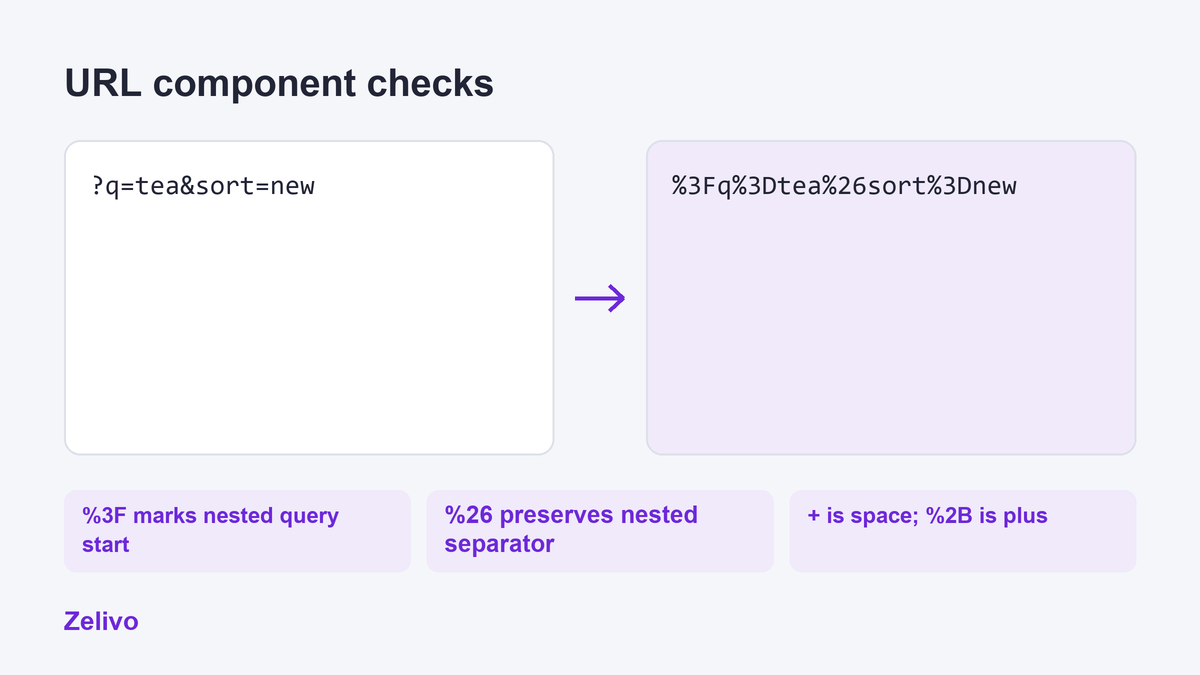
Encode a Full URL as One Query Value
Start with the url-encode sample https://example.com/search?q=tea&sort=new. Treat the complete address as one value because it will be placed inside another URL’s query string. Copy the scheme, host, path, question mark, parameter names, equals signs, and ampersand exactly as shown.
Run the encoder on that complete value and save the returned text as one parameter value. The encoded result should contain %3F where the source had ? and %26 where it had &. Those changes keep the nested URL from being mistaken for the outer query’s separators.
https://example.com/search?q=tea&sort=newDecode Once Before Reading the Query
Use url-decode with the encoded sample, including every percent sign: https%3A%2F%2Fexample.com%2Fsearch%3Fq%3Dtea%26sort%3Dnew. Decode it once, then read the returned text as a URL. Do not interpret query parameters before the encoded component has been restored.
The output should be https://example.com/search?q=tea&sort=new. Confirm the question mark begins the query and the ampersand separates q=tea from sort=new. In form-encoded queries, + means a space; use %2B when the original value contains a literal plus sign.
https%3A%2F%2Fexample.com%2Fsearch%3Fq%3Dtea%26sort%3DnewParse the URL Into Checkable Parts
For a structural check, use url-parser with https://docs.example.com/guides/start.html?lang=en&mode=print. Inspect the returned lines in order: scheme, host, path, and query. This separates the address components without changing the source URL or treating its query as a single opaque value.
The result should show https, docs.example.com, /guides/start.html, and lang=en&mode=print on separate lines. Verify that the host is exact and that the path begins with /. The query contains two parameters, lang=en and mode=print, joined by &.
Reuse Results Without Mixing Contexts
If the input is just a search term, encode the term instead of the whole URL. For example, tea + cake becomes tea%20%2B%20cake. Put that encoded text after q=; keep the ordinary address, question mark, and any separators for other parameters in their usual form.
Do not assume a simplified domain field is the exact host: suffixes such as .co.uk can make that interpretation misleading. For reliable checks, compare the parsed host with the original hostname. Preserve the original sample beside any transformed value so later checks can distinguish source from result.
- Confirm
%3Fand%26appear in the encoded nested URL. - Confirm one decode restores both
q=teaandsort=new. - Confirm the parser returns host
docs.example.comand schemehttps.
