
























When a copied draft has hard line breaks inside sentences, clean it without flattening its paragraphs. This guide uses Remove Line Breaks and word-counter on one small fixture, so you can compare the source, the transformed text, and the measured result exactly.
Find the actual line breaks
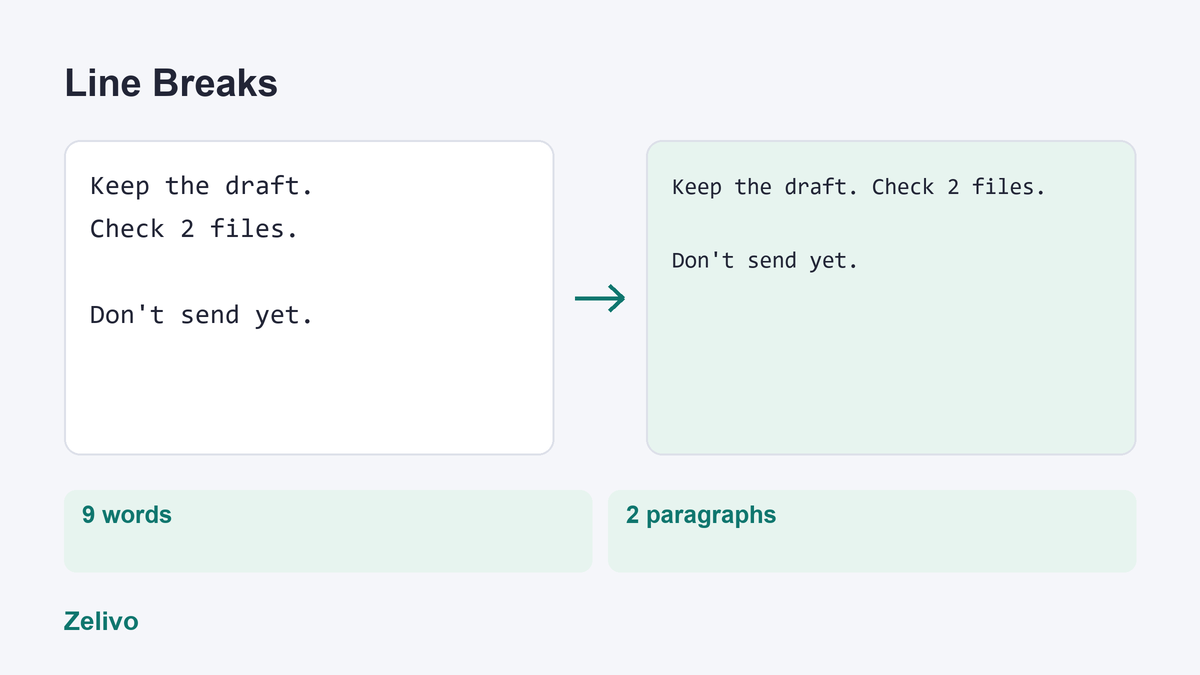
Start with the word-counter fixture exactly as supplied. Paste the full sample, including the single line break after “draft.” and the blank line before “Don’t”. Run the counter before changing anything. The expected baseline is 9 words / 2 paragraphs. This establishes the content and paragraph structure you must preserve while cleaning the wrapped text.
Keep the draft.
Check 2 files.

Don't send yet.
Now inspect literal whitespace, not only what the preview appears to show. There is one hard line break between “draft.” and “Check”, followed by two newline characters for the paragraph boundary. The apostrophe in “Don't” is ordinary content. A visually wrapped line may contain no newline at all, so do not infer structure from screen width alone.
Join Hard Wraps in One Pass
Open Remove Line Breaks and use the mode that removes line breaks only. It replaces single hard line breaks with a space and normalizes runs of blank lines to one blank line. Apply it to the same sample. The first two sentences will share a paragraph with one space after the period, and the last sentence will stay in a separate paragraph.
Keep the draft. Check 2 files.

Don't send yet.
The expected output is exactly two paragraphs: “Keep the draft. Check 2 files.”, then “Don't send yet.” The visible blank line is meaningful here. Re-run word-counter with this output and compare it with the baseline. It should still report 9 words / 2 paragraphs, proving that the cleanup changed line wrapping without changing the counted text or paragraph count.
Know When Flattening Is Wrong
The other mode flattens whitespace across paragraphs. Use it only when the destination actually needs a single line, such as a plain caption field. Leave meaningful line breaks alone in an address, a poem, a table, or source code. When copied text mixes prose with one of those formats, select only the prose for cleanup.
The total word count is a useful signal, but it cannot tell you which punctuation changed or whether two words traded places. Read the last few words of each paragraph before and after cleanup. On a longer draft, compare the plain-text versions side by side and confirm that the differences are confined to whitespace.
Before pasting into the editor
- Confirm the output reads “Keep the draft. Check 2 files.” followed by a blank line and “Don't send yet.”
- Confirm word-counter reports 9 words / 2 paragraphs both before and after cleanup.
- Confirm code, poetry, addresses, tables, and other meaningful line breaks were not flattened.
