
























Test a Base64 text round trip with Unicode and line breaks
Verify a known result, preserve UTF-8 text and recognise input that belongs in a file workflow.
Use a fictional string to find out whether encoding and decoding preserve the data you actually care about. Base64 represents bytes as printable characters. It does not encrypt the original information or make a secret safe to share.
In this guide
Start with a small reference value
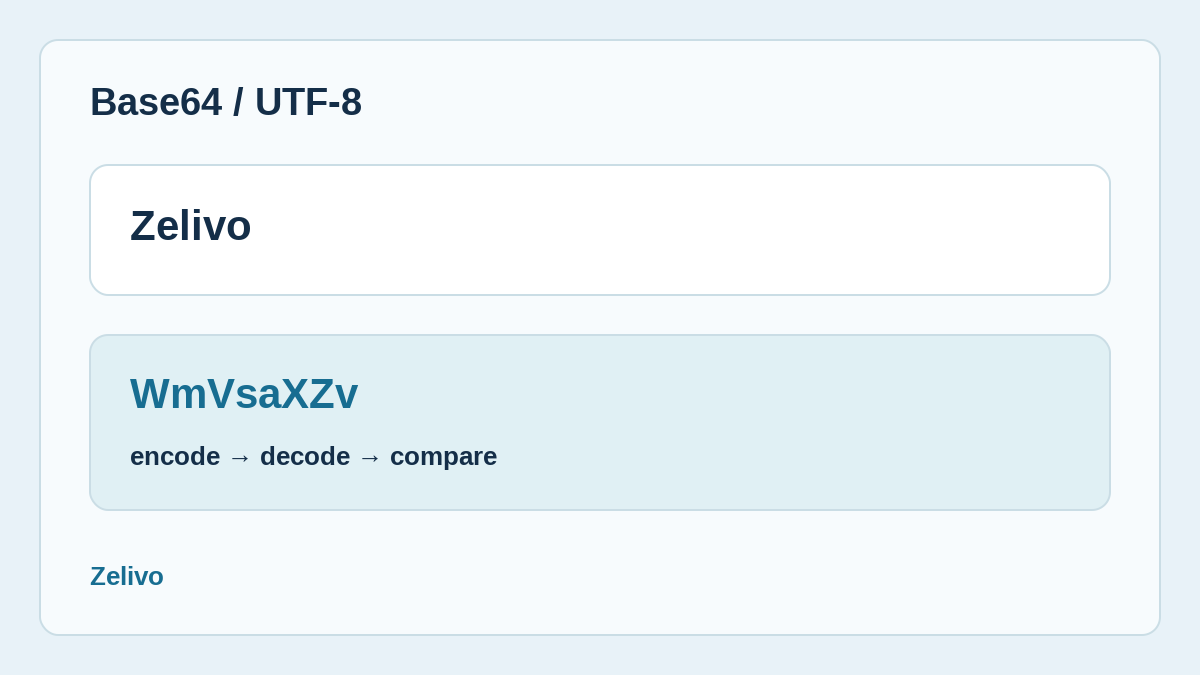
Enter Zelivo in Base64 Encode. Copy the result into Base64 Decode and decode it once. The result should be exactly Zelivo, including the capital Z. Do this first so an unfamiliar output can be compared with a known baseline.
Zelivo → WmVsaXZv → ZelivoTest the characters your real text uses
Next try Zelivo ✓. The check mark exercises a multi-byte UTF-8 character. Copy the complete encoded value, including any padding at the end. Compare the decoded output character for character; a successful decode that produces replacement symbols is not a correct round trip.
Zelivo ✓ → WmVsaXZvIOKckw== → Zelivo ✓A final newline or a space changes the underlying bytes and therefore the encoded result. Test a two-line sample separately. Do not trim or reflow input unless your intended workflow explicitly allows that change. Keep the original test text alongside the result.
Choose the right decoder and verify errors
This site’s text decoder expects valid Base64 that decodes to UTF-8 text. An encoded image or compressed file can be valid Base64 yet fail this text workflow. Use the image-specific tools when the input is image data, and do not treat binary-file bytes as readable text.
The standard alphabet uses + and /; Base64url commonly uses - and _ instead. If a value came from a URL or token, establish its format before trying to decode it. Remove a data-URI prefix only when you know the remaining payload and its type. Repeatedly decoding unknown data is not a reliable way to identify its format.
Final checks before using the result
- Confirm the expected text, Unicode characters and line breaks survived. A pasted value may accidentally gain a trailing newline or lose padding.
- Use fictional values for testing. Do not paste real credentials just because the encoded representation looks unreadable. Keep sensitive processing in an approved local workflow when required.
Try the related tools
Continue with another guide

Zelivo Team
Product Team
We build simple, reliable browser tools that make everyday digital work faster.
Popular Tools
Recent Posts