
























Convert VTT and SRT subtitles, then check timing and cue text
Use a two-cue fixture to verify timestamps, line breaks and playback after conversion.
Changing a subtitle extension is not a format conversion. VTT and SRT differ in headers and timestamp notation, and a conversion may not preserve every layout feature. Start with the small UTF-8 example below before converting a longer subtitle file.
In this guide
Prepare a minimal timed file
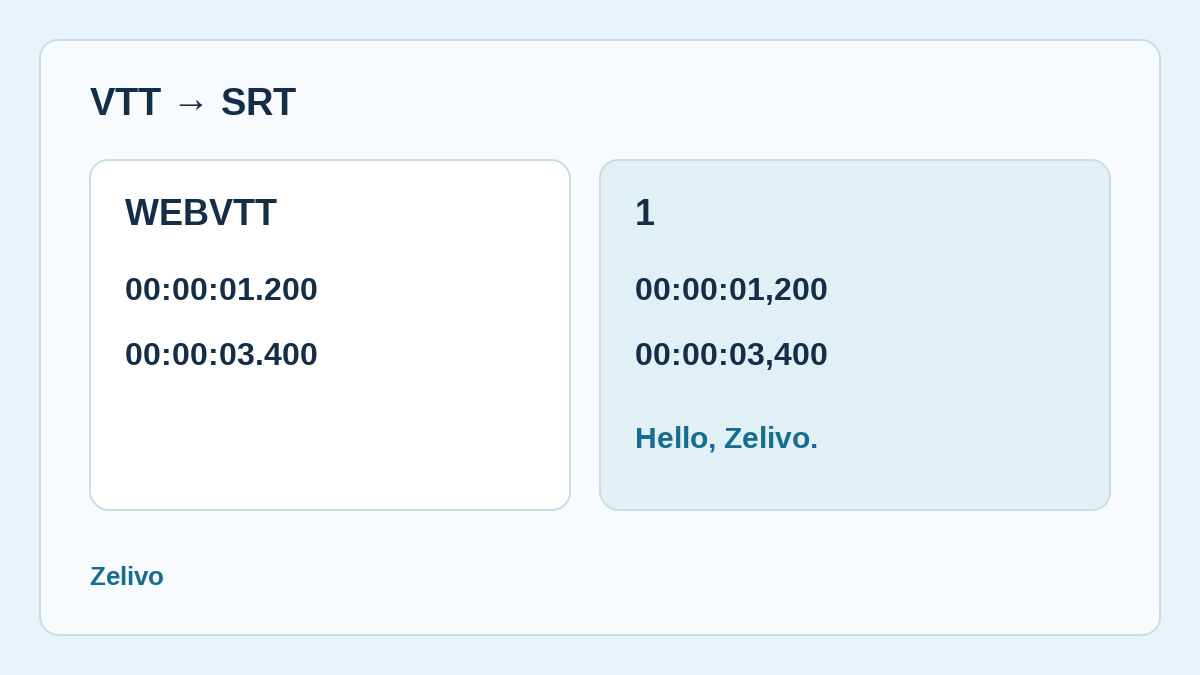
WEBVTT

00:00:01.200 --> 00:00:03.400
Hello, Zelivo.

00:00:04.000 --> 00:00:06.500
Second cue.
Keep this line.
Save the sample as a UTF-8 .vtt file. Keep the WEBVTT header at the beginning and a blank line between cues. The sample contains two timed cues; the second has two text lines. Use fictional text so the test file contains no private transcript.
Convert and inspect the downloaded SRT
Upload the file to VTT to SRT, run the conversion and download the result. Open the downloaded file in a text editor rather than judging only the preview or filename. SRT should have numbered cues, timestamps with comma-separated milliseconds and a blank line between cues.
1
00:00:01,200 --> 00:00:03,400
Hello, Zelivo.

2
00:00:04,000 --> 00:00:06,500
Second cue.
Keep this line.
Check timing and content separately
- Count two cues. Compare both start and end times. The first cue starts at 1.200 seconds and ends at 3.400 seconds; conversion should not introduce a time offset.
- Check the punctuation and the two-line second cue. If your original uses accented or non-Latin characters, include representative text in a separate test and check for corrupted characters.
Use SRT to VTT for a return conversion and compare cue times and text, not the entire file byte for byte. Numbering, formatting and headers may differ. WebVTT positioning, styling, notes and cue identifiers do not all have equivalent SRT features, so keep the original if those features matter.
Preview in the actual player
Load the converted subtitles with a short test video in the player you intend to use. Check the first cue, a middle cue and the final cue. A syntactically valid subtitle file can still appear out of sync with a different edit of the video; format conversion does not repair the wrong timing source.
If import fails, check UTF-8 encoding, the expected header, cue separators and the selected source format. Preserve your original subtitle file and only replace a delivery copy after the text and playback checks both pass.
Try the related tools
Continue with another guide

Zelivo Team
Product Team
We build simple, reliable browser tools that make everyday digital work faster.
Popular Tools
Recent Posts